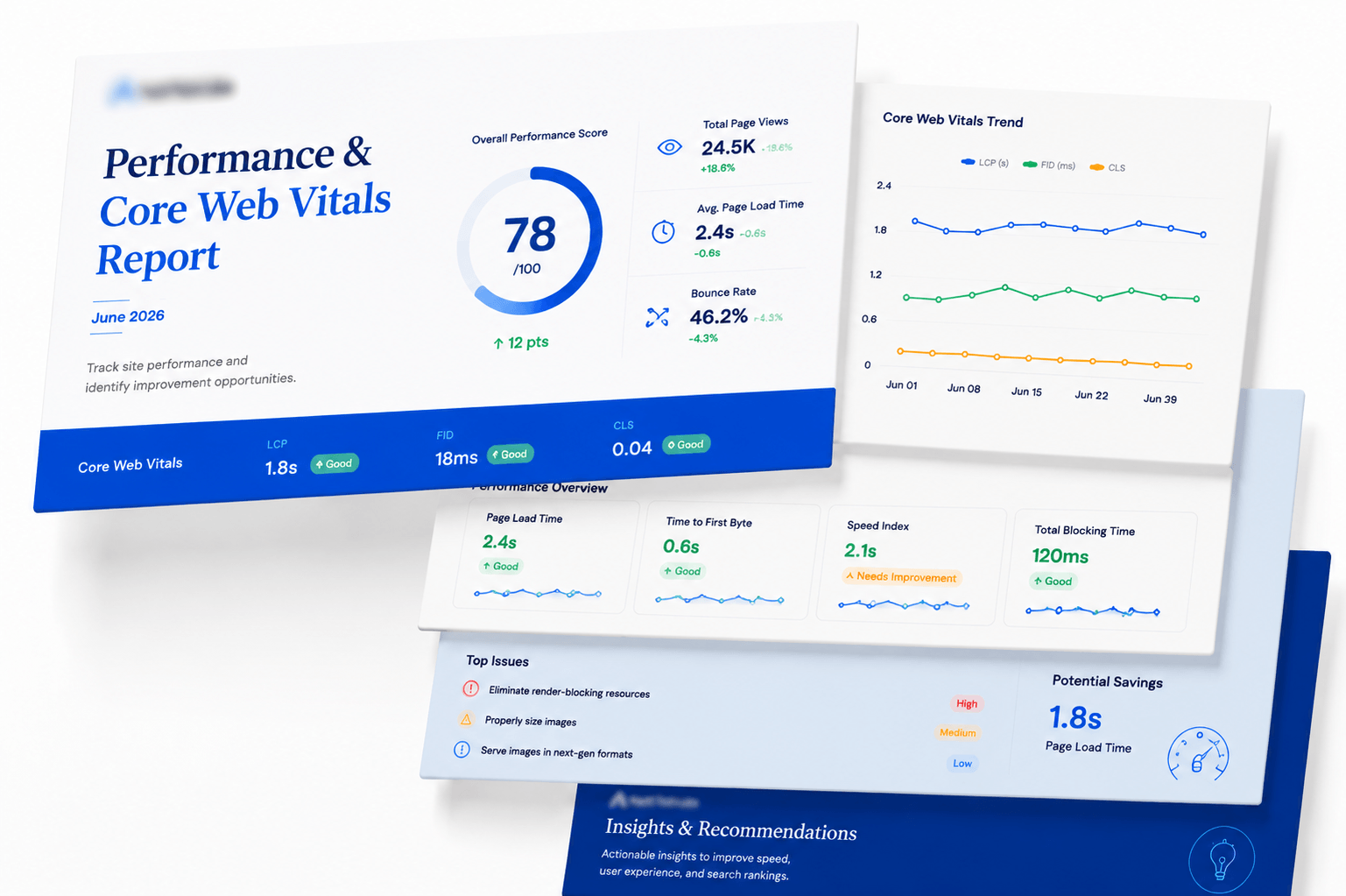
Every page. Every metric. Ranked worst first.
A single site-wide speed score is close to useless. This module scores each URL separately on mobile and desktop, records LCP, CLS and FCP, and puts the low scorers at the top where they belong.
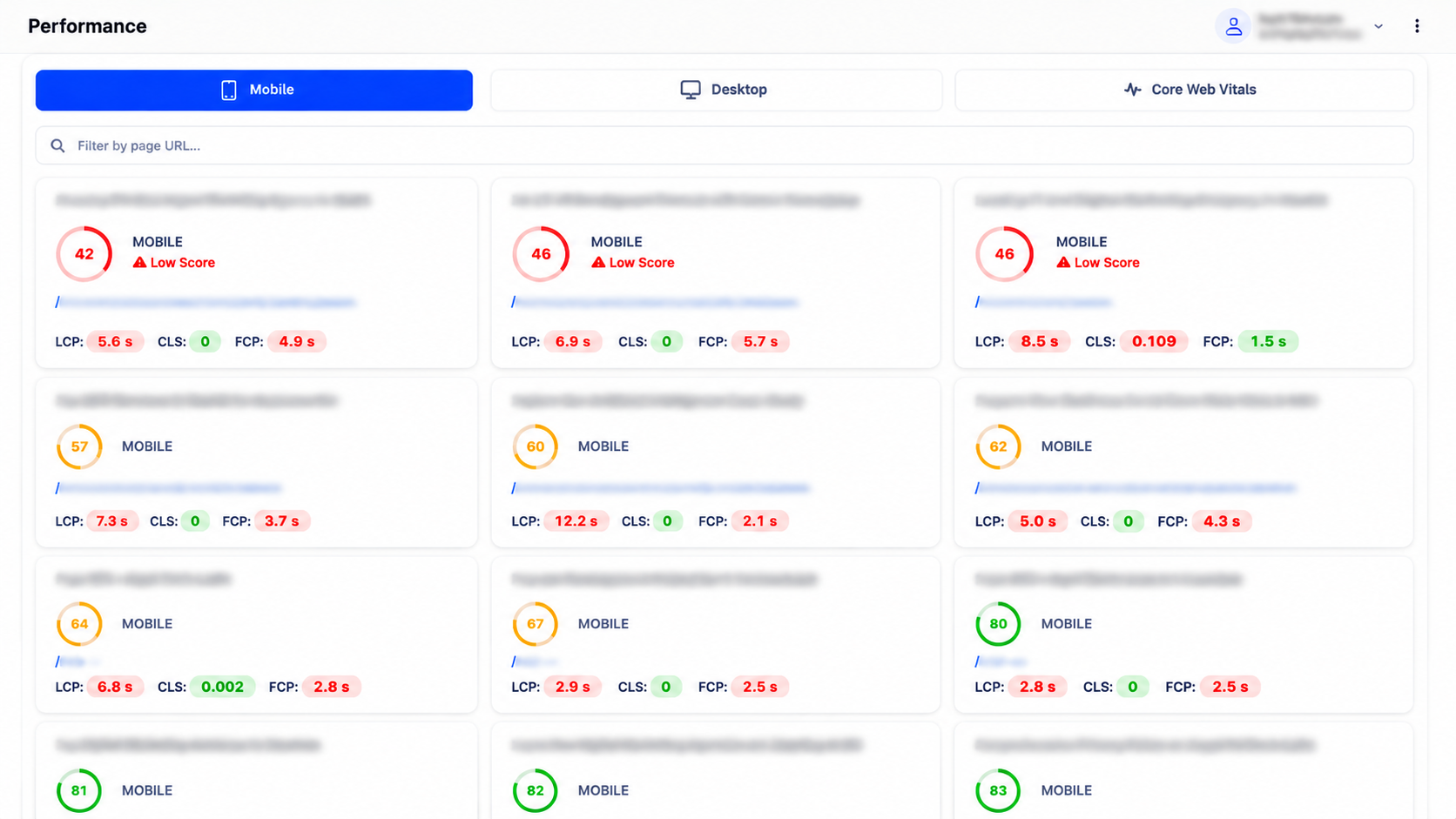
Low scores are highlighted and sorted first, with LCP, CLS and FCP shown inline for each URL.
Your homepage score is not your site's score
Most speed tools test one URL and let you assume the rest matches. In reality a homepage at 46 and a privacy policy at 85 are the same site — and it's the service pages in between that convert.
Every crawled page gets its own gauge, its own vitals, and a clear low-score warning where it fails. Filter by URL to jump straight to the page you're working on.
- Mobile and Desktop tabs scored independently
- LCP — largest contentful paint, colour-coded against thresholds
- CLS — cumulative layout shift, the metric most sites quietly fail
- FCP — first contentful paint for perceived speed
- Low Score warnings on any page below threshold, sorted to the top
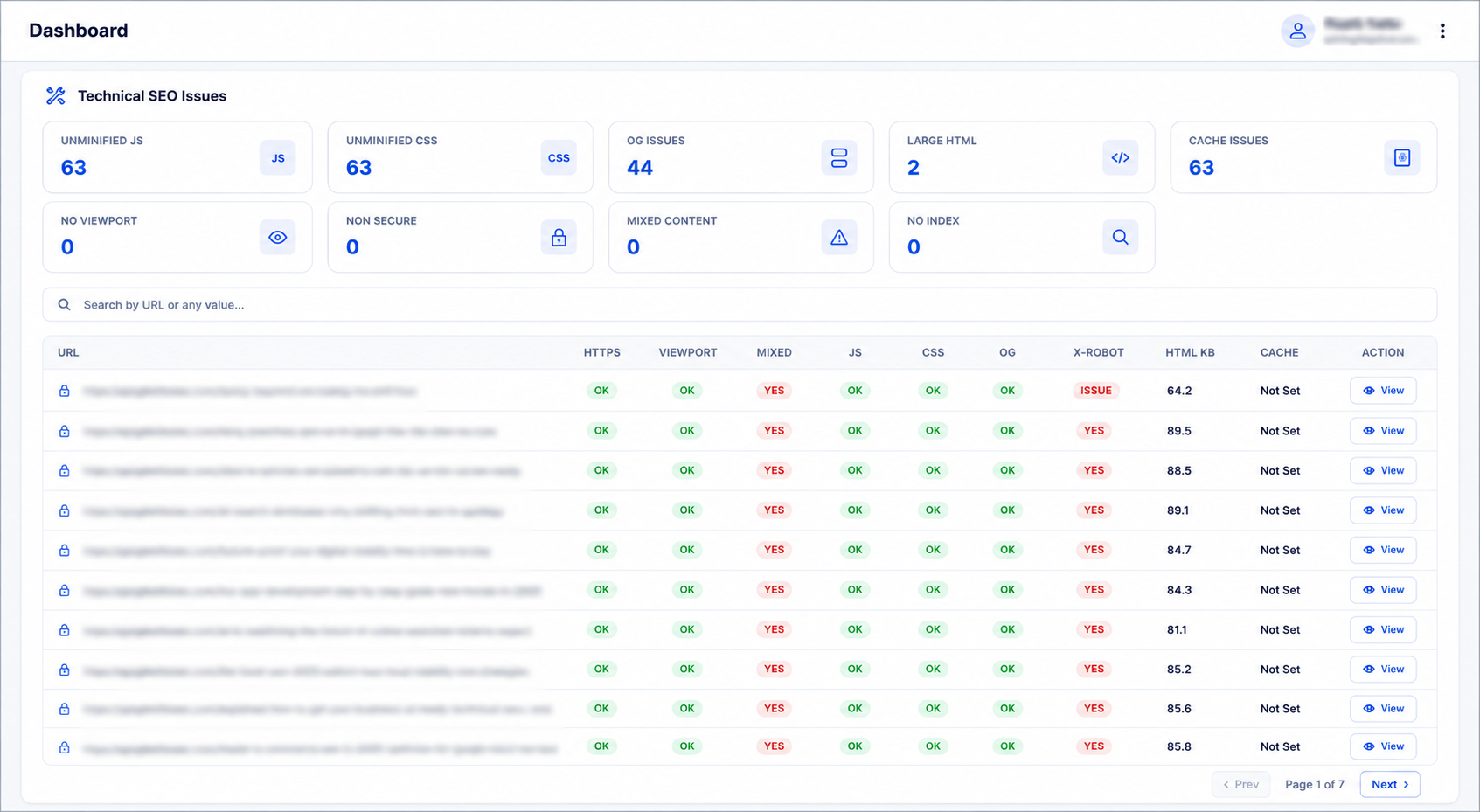
The technical causes behind slow scores
Scores tell you which pages are slow; the technical sweep tells you why. Unminified JavaScript and CSS across 63 pages, cache headers not set, oversized HTML documents and mixed content all show up as counted, addressable problems.
These are the fixes that move Core Web Vitals across the whole site at once rather than page by page.
- Unminified JS and CSS counts across the site
- Cache-control status per URL — “Not Set” is the common quick win
- HTML document weight in KB, with large documents flagged
- Mixed content and non-secure resource detection
The three vitals that count
Google's Core Web Vitals, measured per page and tracked across runs.
LCP — Largest Contentful Paint
How long until the main content is visible. Usually a hero image, a font load or a render-blocking script. The most common failure of the three.
CLS — Cumulative Layout Shift
How much the page jumps while loading. Ads, embeds and images without dimensions are the usual culprits, and it is very fixable.
FCP — First Contentful Paint
When the first pixel of real content appears. It drives perceived speed and bounce rate more directly than total load time does.
Performance in context
Speed problems rarely stay contained — they show up in indexing and engagement too.
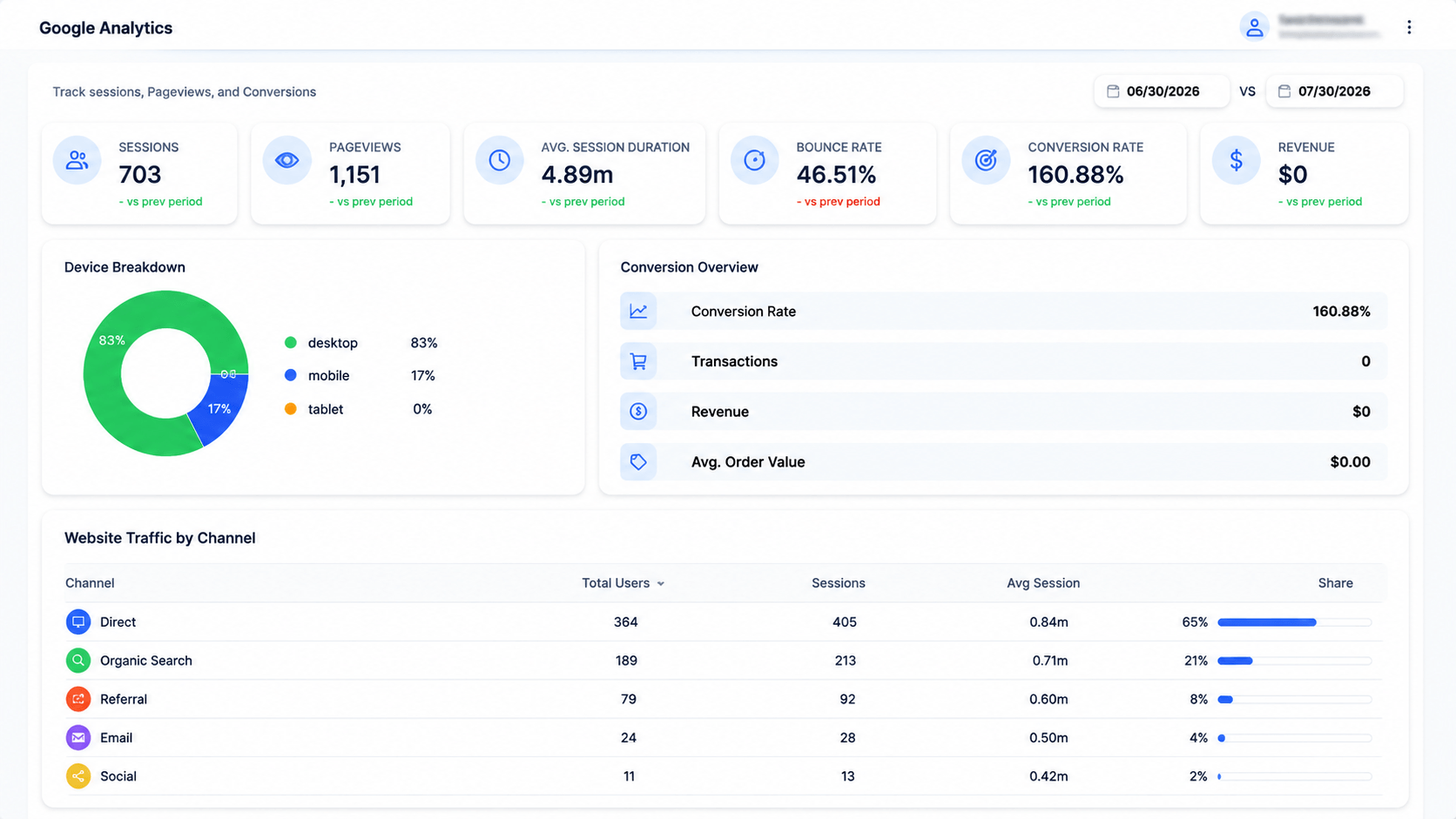
Engagement metrics alongside speed, so you can see what slow pages actually cost.
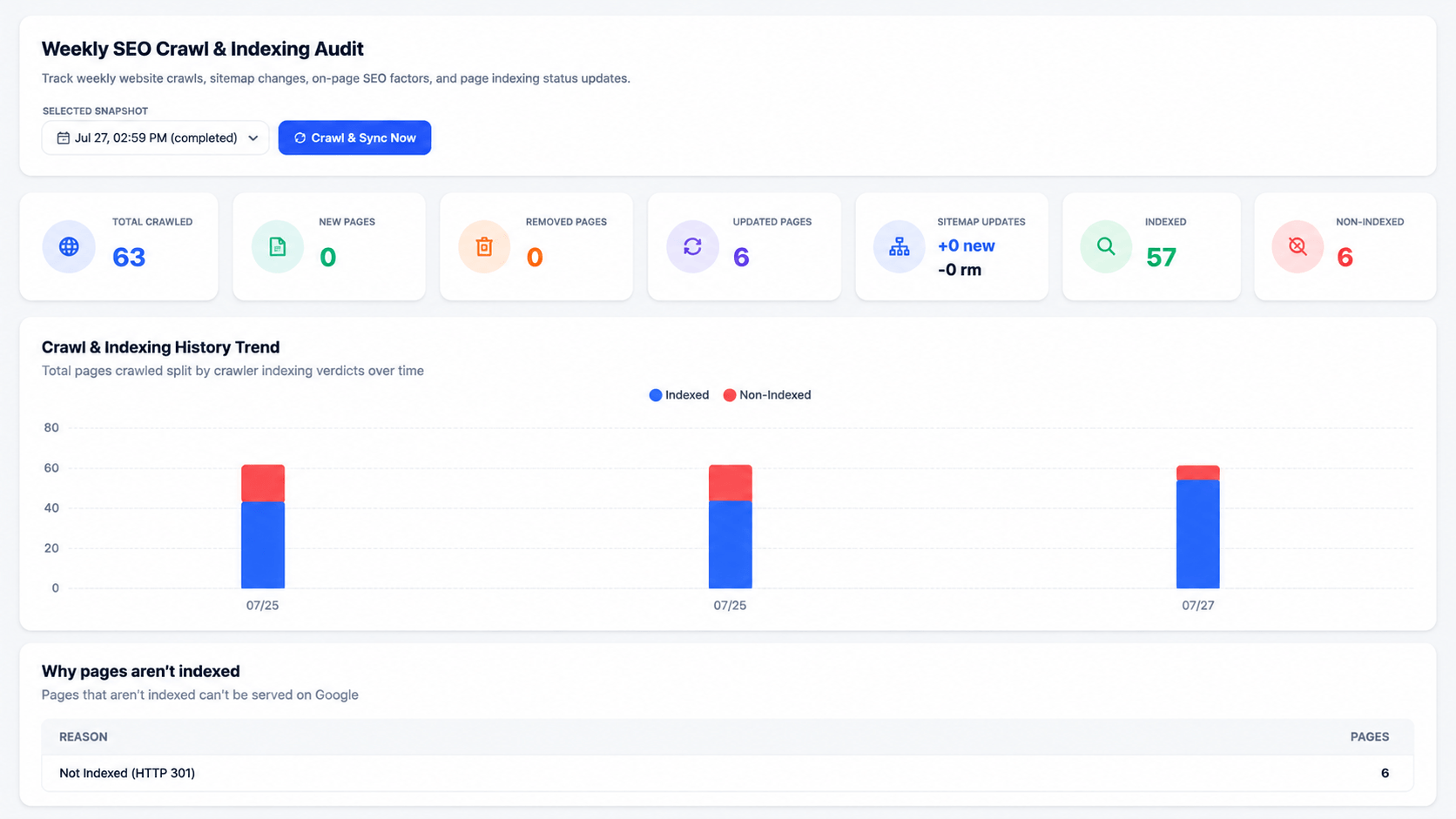
Response time is recorded per URL in the crawl audit and correlates with indexing outcomes.
Questions about performance & core web vitals
Score every page, not just the homepage
Get mobile and desktop scores with Core Web Vitals for every URL on your site.