Rank where your customers stand.
Local rankings change street by street. A geo-grid samples your position across a physical map so you can see the blocks where you are invisible — and everything that feeds local ranking, from profile completeness to review replies.
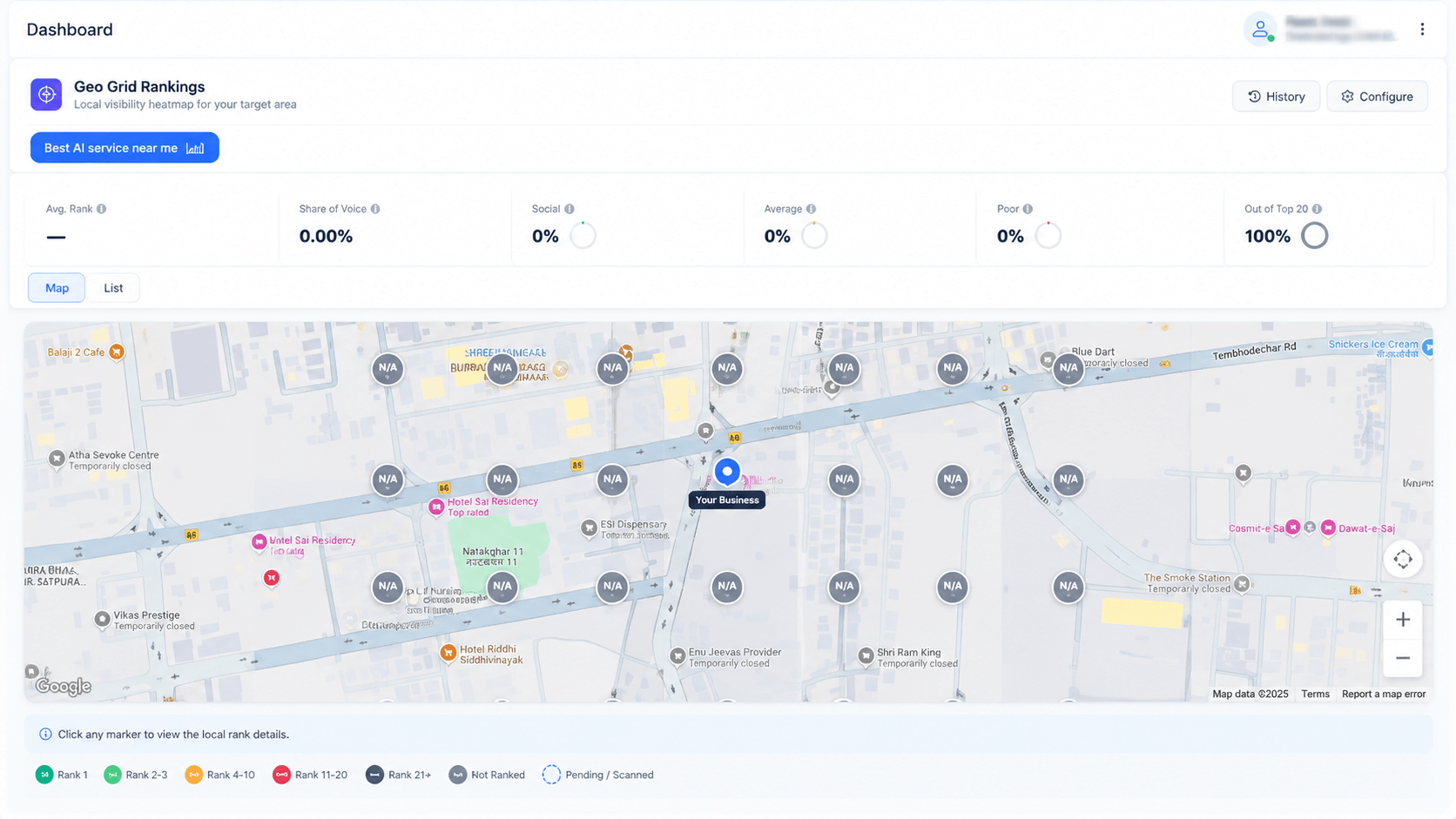
Each marker is a real sampled location. Colour is your local pack position there — click any point for the full ranking.
A single average hides the truth
Ask most tools where you rank locally and you get one number, sampled from one point. In practice you might sit at position 2 outside your own office and position 20 four streets away.
The geo-grid runs the same keyword from every point on a grid across your service area and colour-codes the result, so the gap between your best and worst neighbourhood is visible immediately.
- Average rank and share of voice across the whole grid
- Good / average / poor / out-of-top-20 split as percentages
- Colour bands from rank 1 through rank 20+ and not-ranked
- Click any marker for the full local pack at that exact point
- History view and configurable grid size and spacing
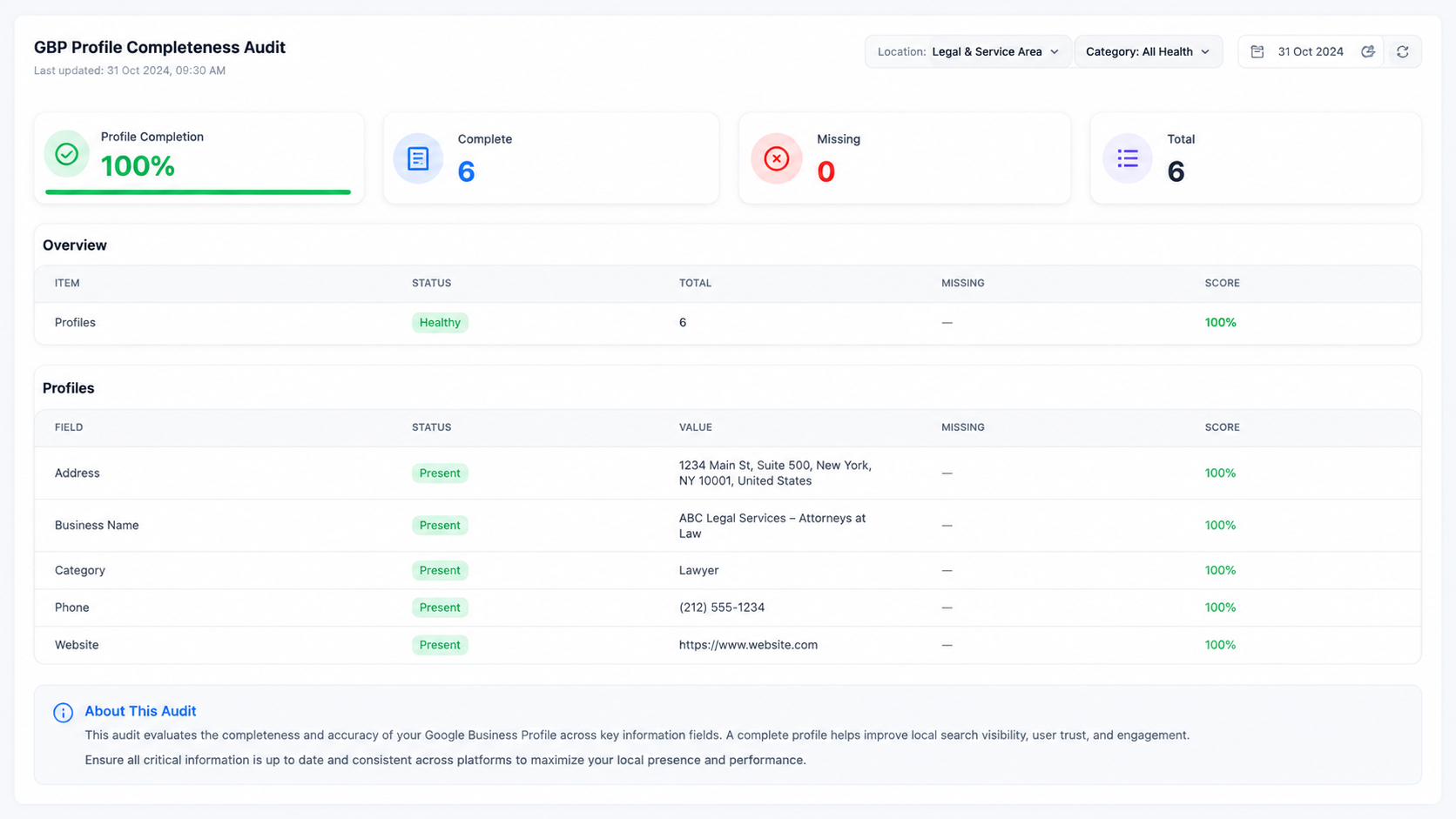
Profile completeness, scored per field
The GBP audit checks every field that influences local ranking and conversion — business name, address, category, phone, website, hours, services, attributes, photos and posts — and scores each one out of ten.
Missing or inconsistent fields are the most common reason a well-optimised site still loses the local pack, and they take minutes to fix once you know which they are.
- Per-field present / missing status with an individual score
- NAP consistency checked against your site
- Post volume tracked as a content signal
- Re-audited on a schedule so drift is caught
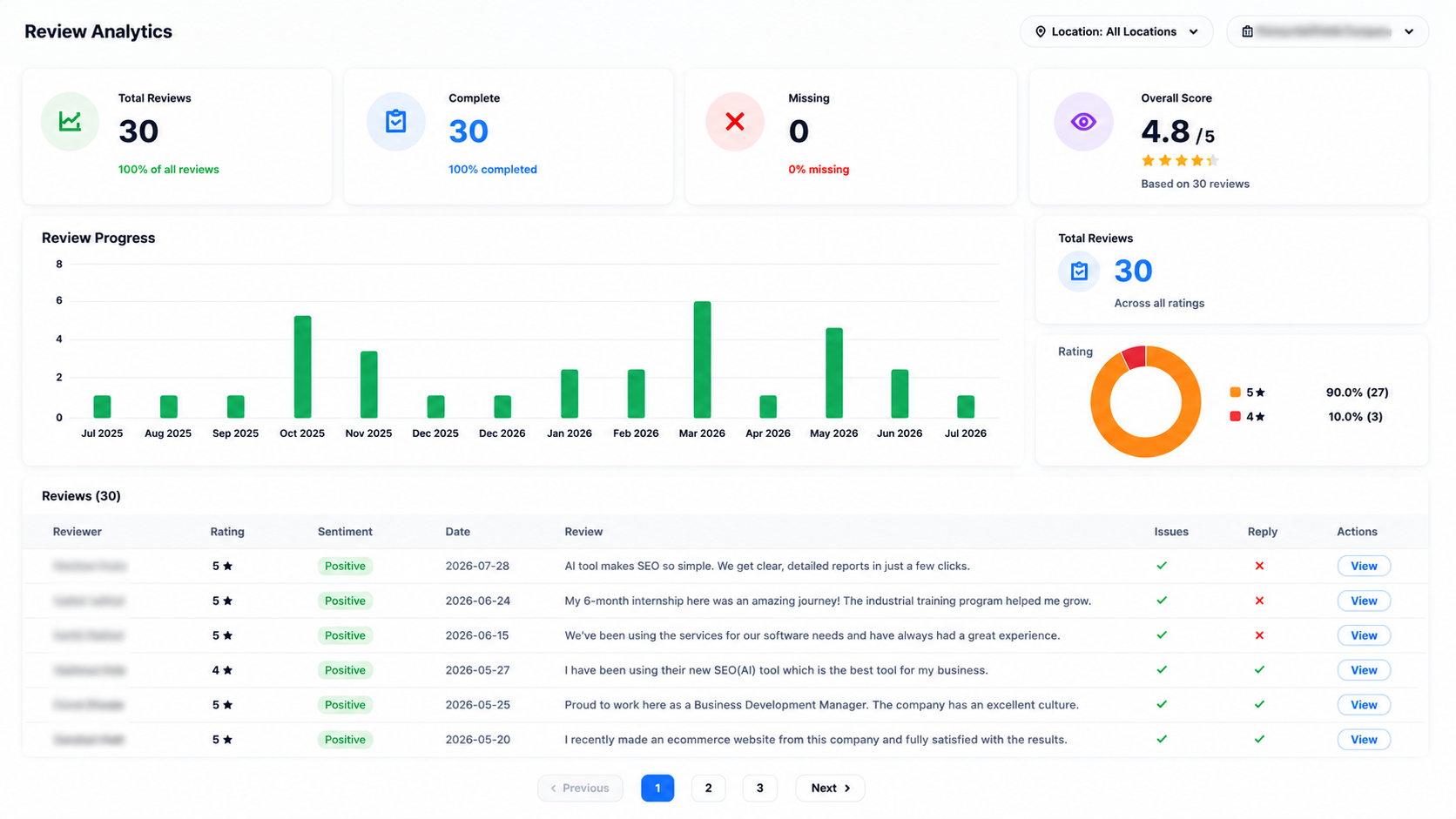
Volume, rating, sentiment and replies
Review count and average rating are the obvious metrics. Reply rate is the one that gets ignored and matters — unanswered reviews are a visible ranking and trust signal.
Every review is scored for sentiment and flagged if it raises an issue, with reply status tracked so nothing sits unanswered.
- Review volume over time with a rating distribution donut
- Sentiment classification per review
- Issue flag and reply status columns for triage
- Full review text viewable inline
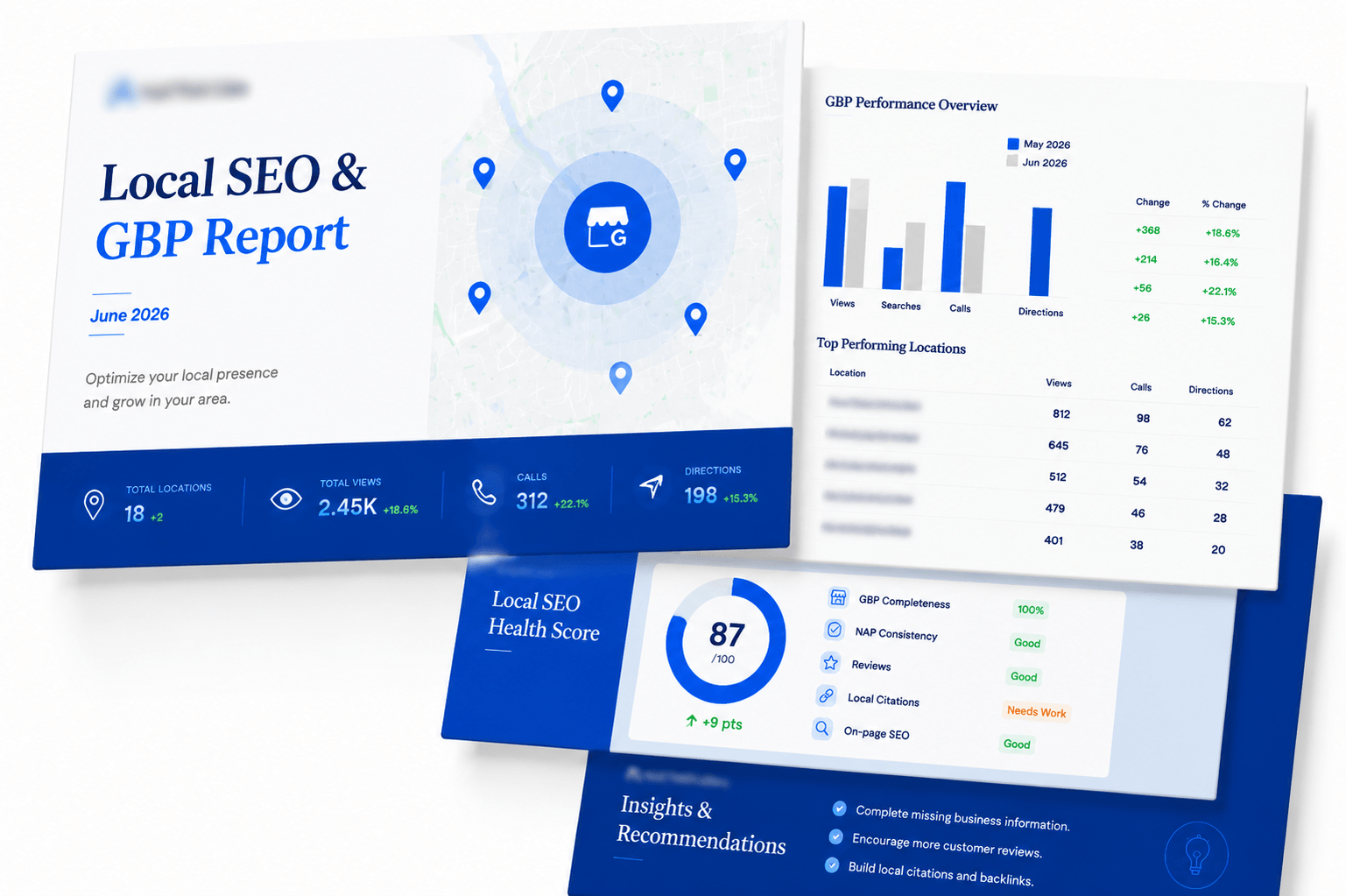
What drives local ranking
Three signal groups, all measured here.
Proximity & relevance
How close the searcher is and how well your category and content match their intent — measured across the grid rather than at one point.
Profile completeness
Every populated GBP field is a relevance signal. The audit scores them individually so nothing is left blank by accident.
Reviews & engagement
Volume, recency, rating and — often overlooked — whether you replied. All four are tracked with sentiment scoring.
Local keyword tracking
Location-qualified terms tracked separately from national keywords.
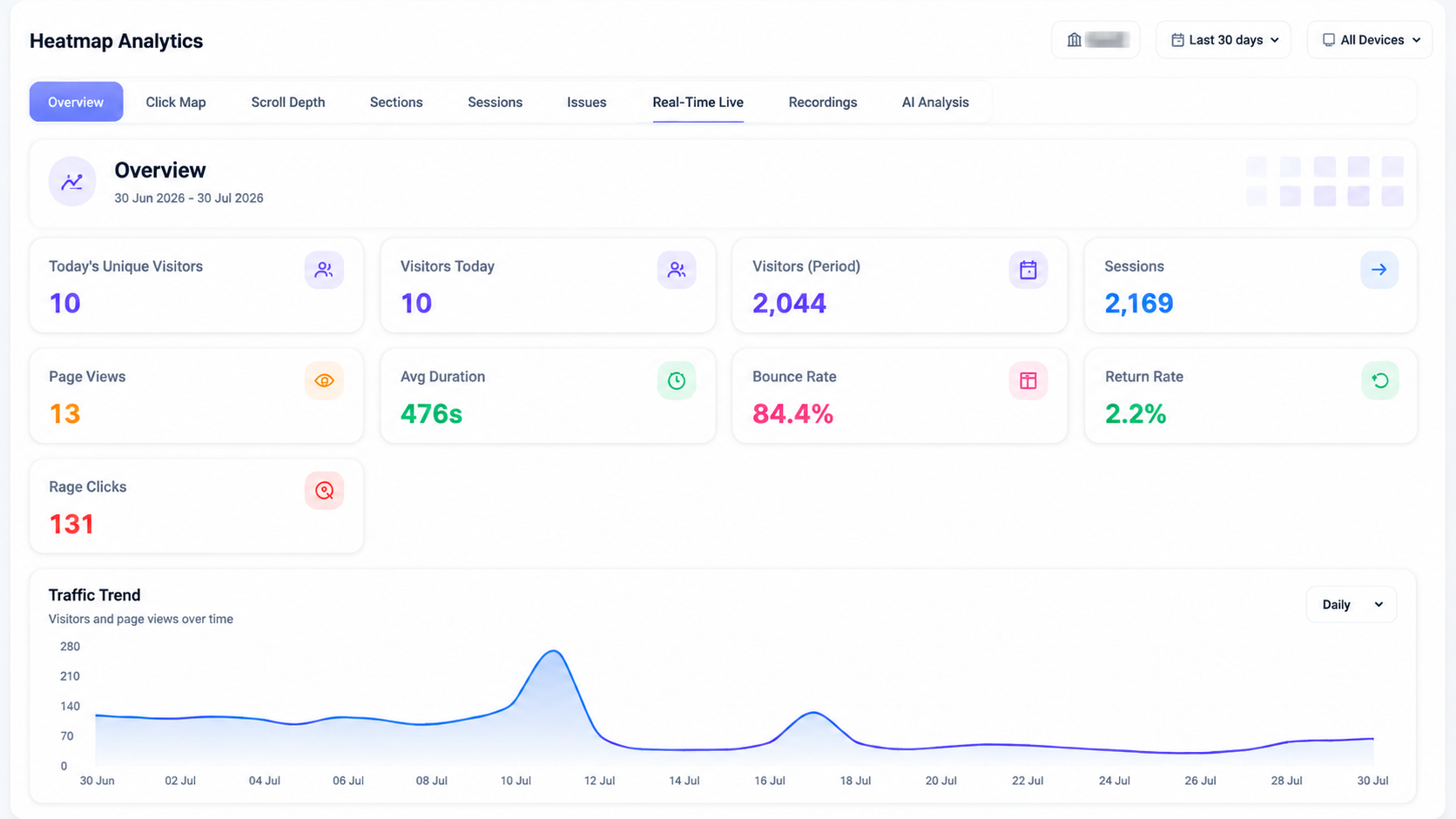
318 location keywords with volume, difficulty and the page mapped to each.
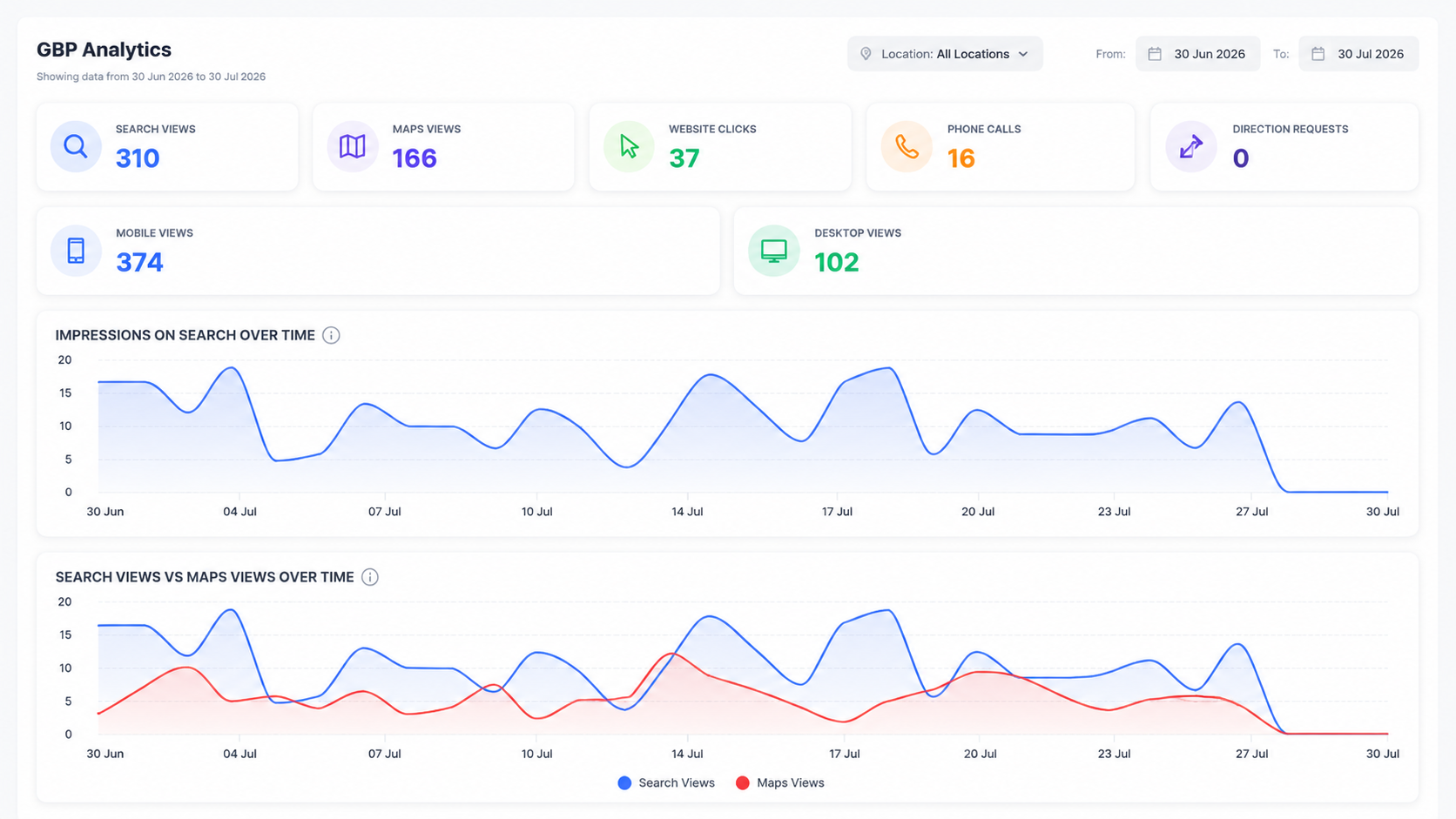
Content and profile sections scored separately, with the date of the last audit.
Questions about local seo & gbp
See your real local footprint
Run a geo-grid across your service area and find the blocks where you're invisible.