If Google can't reach it, nothing else matters.
A weekly crawl compared against Google Search Console tells you exactly which pages are indexed, which aren't, and the reason Google gives for each — while continuous monitors watch the infrastructure underneath.
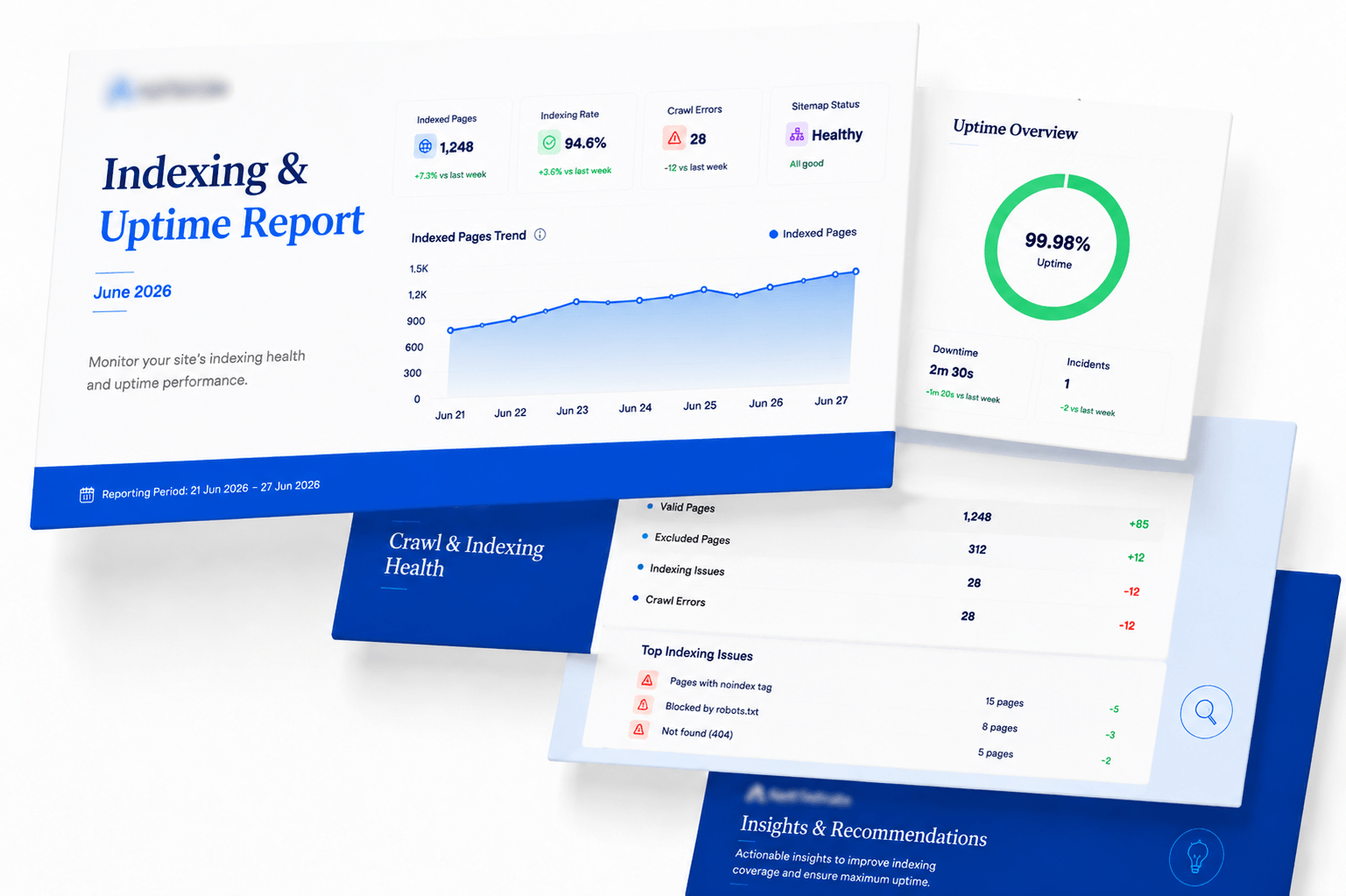
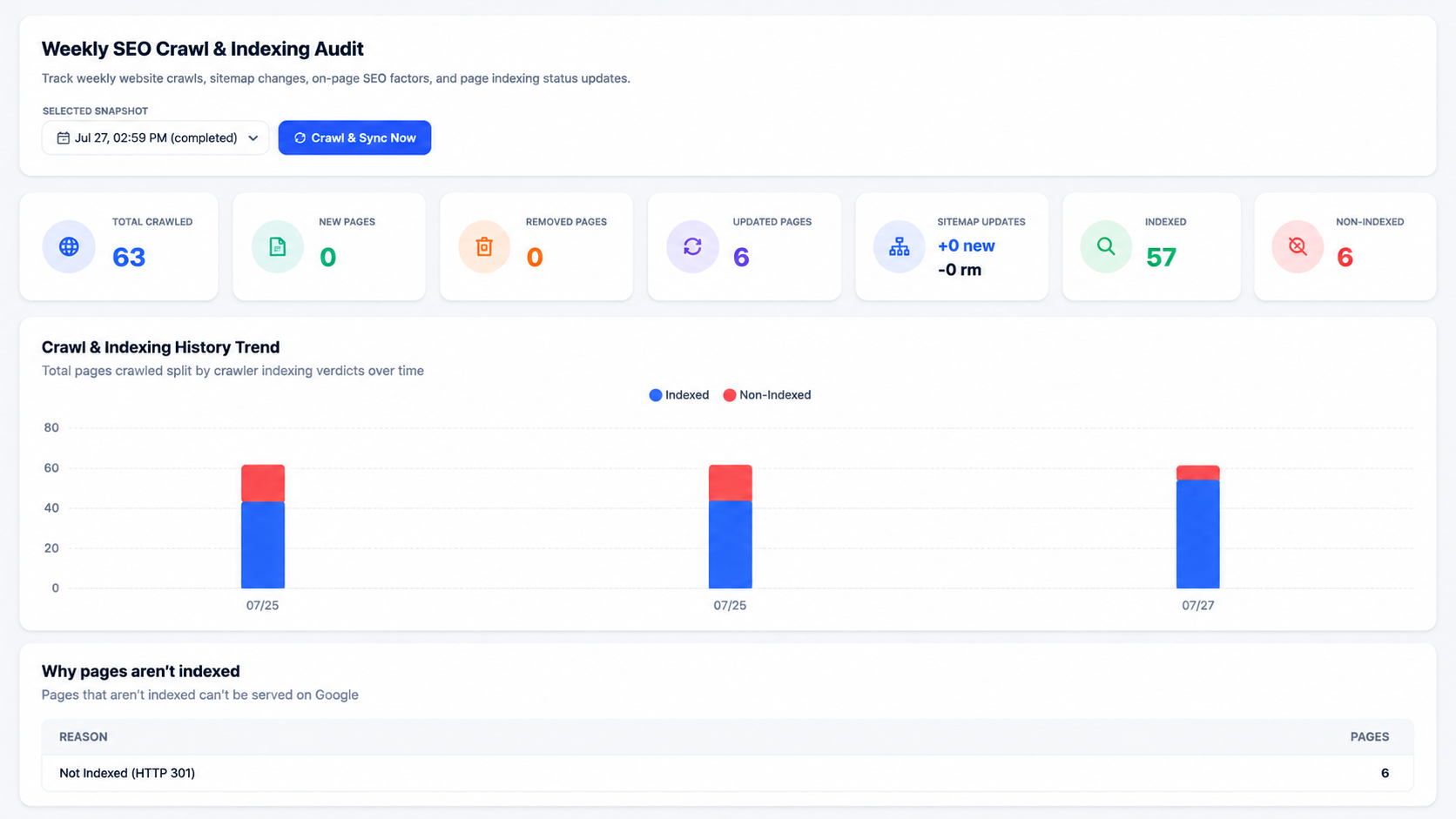
New, removed and updated pages week over week, cross-referenced against Google's own indexing verdict for each URL.
The reason Google gives, per page
“Discovered — currently not indexed” and “Crawled — currently not indexed” mean different things and need different fixes. This report groups your non-indexed pages by the exact reason and counts each one.
Alongside it, every URL carries its crawl status, sitemap membership, HTTP code, robots.txt verdict, word count, duplicate flag, response time and a final SEO verdict.
- Why pages aren't indexed, grouped by Google's stated reason with counts
- New / updated / removed pages diffed against last week's crawl
- Sitemap additions and removals tracked automatically
- Canonical mismatch warnings inline on the affected URLs
- Filter tabs for in-sitemap, GSC indexed, GSC non-indexed and pending
Your GSC data, made comparable
Impressions, clicks, CTR and average position are synced from Google Search Console with read-only access and presented alongside your own crawl and ranking data.
The value is the join: a page with high impressions and no clicks is a title and meta description problem, and it's only visible when the two datasets sit next to each other.
- Impressions, clicks, CTR and average position per query and page
- Read-only OAuth scope — we cannot change your Search Console settings
- Indexing verdicts pulled through into the crawl audit
- Historical retention beyond Google's own 16-month window
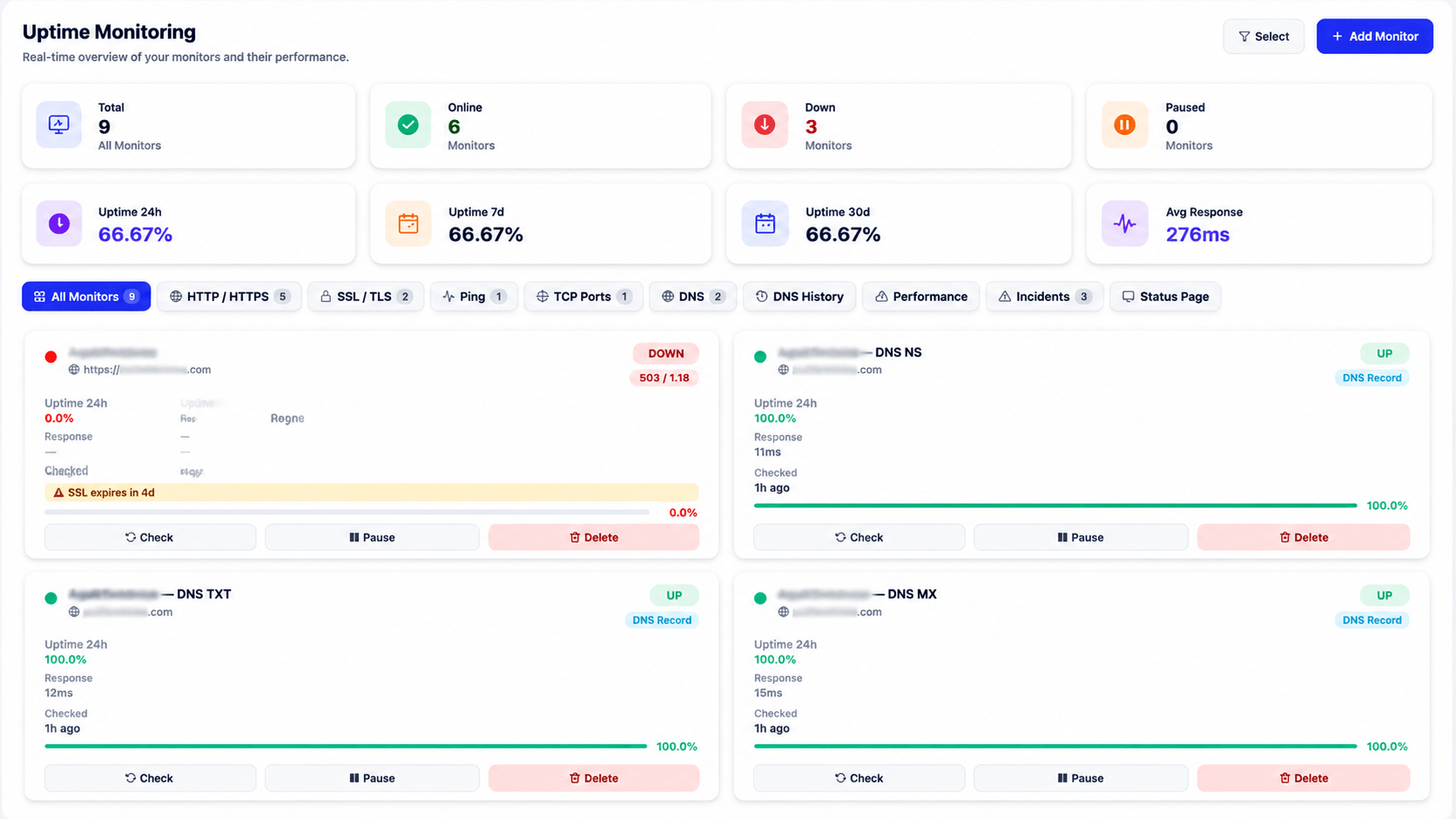
Nine monitors, not just a ping
SEO damage from downtime is usually silent — a DNS record drops, an SSL certificate expires, and rankings slide before anyone notices the site is technically fine in a browser.
Monitors cover HTTP/HTTPS, SSL/TLS expiry, ping, TCP ports, and DNS records individually: NS, TXT, MX, CNAME, A and AAAA, each with its own uptime percentage and history.
- SSL/TLS expiry warnings before the certificate lapses
- DNS monitored per record type with change history
- HTTP/HTTPS, ping and TCP port checks with response times
- Incident log and a public status page
- 24h, 7d and 30d uptime percentages per monitor
What gets watched
Three layers, all of which can quietly cost you rankings.
Crawlability
Robots.txt directives, canonical consistency, sitemap membership and duplicate detection for every URL.
Indexability
Google's own verdict per page, grouped by reason, so you fix the cause rather than guessing at it.
Availability
SSL expiry, DNS record integrity and HTTP response monitored continuously with incident history.
Traffic context
Indexing and uptime data reads better next to what traffic actually did.
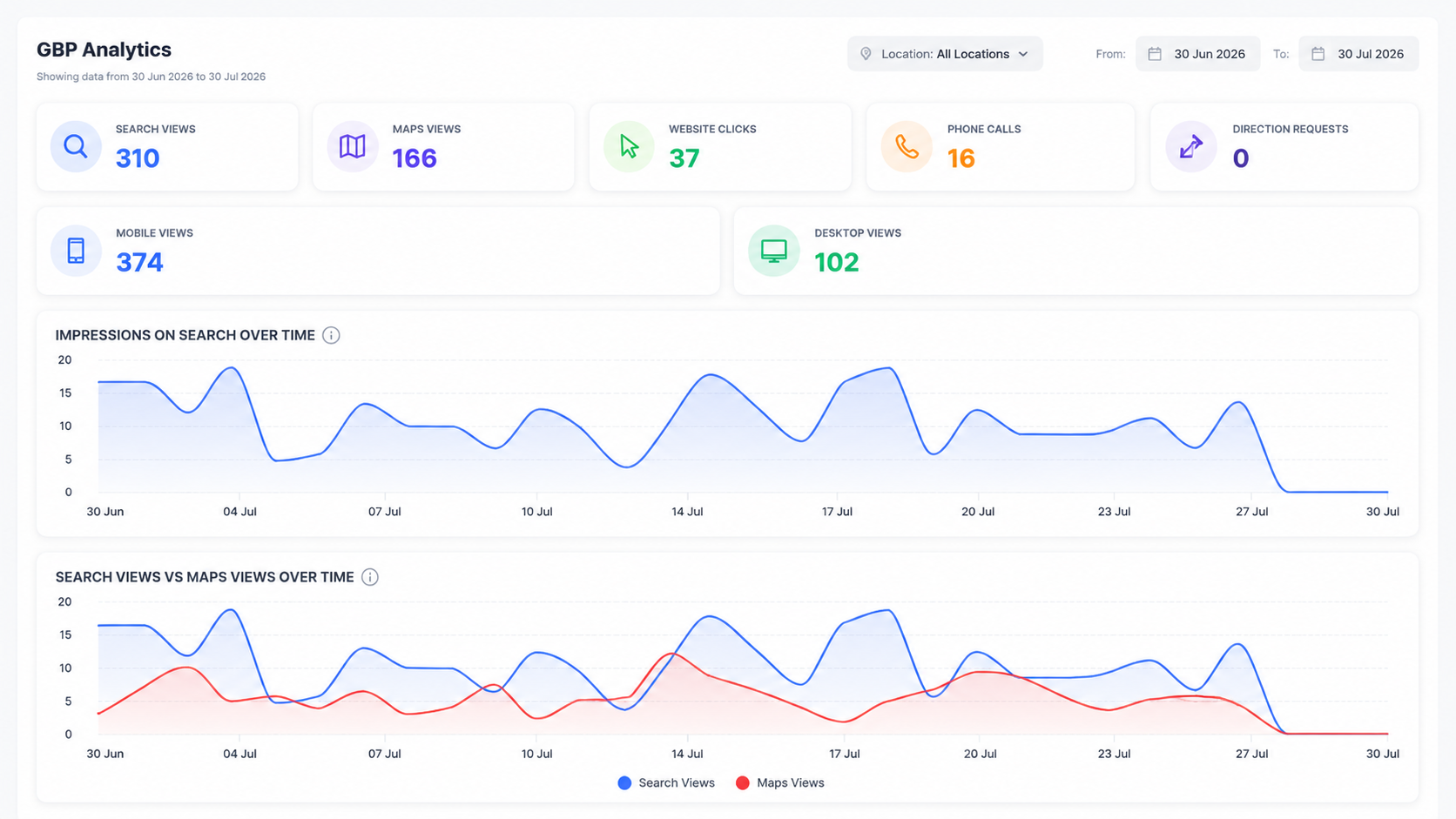
Traffic trends over the same period, so an indexing drop can be tied to a traffic drop.
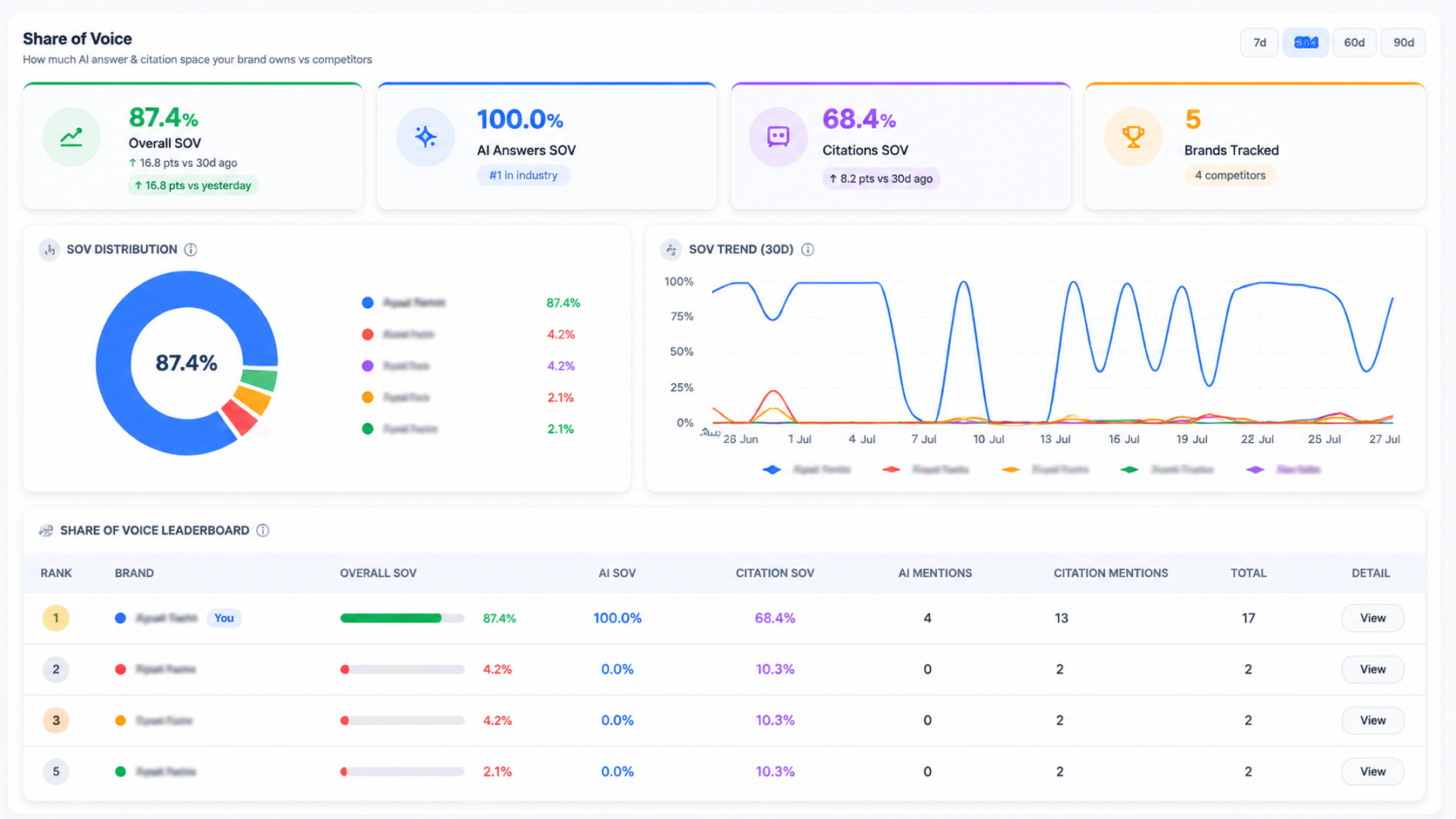
GA4 data synced read-only and visualised alongside search performance.
Questions about indexing & uptime
webmasters.readonly, which allows us to read search performance data from properties you select and nothing else. We cannot modify your Search Console settings, submit URLs or change anything on your property.Find out what isn't indexed
Connect Search Console read-only and get a weekly crawl diff with Google's reason for every non-indexed page.